Arc Quantum Asset Hub — RWA Tokenization Platform
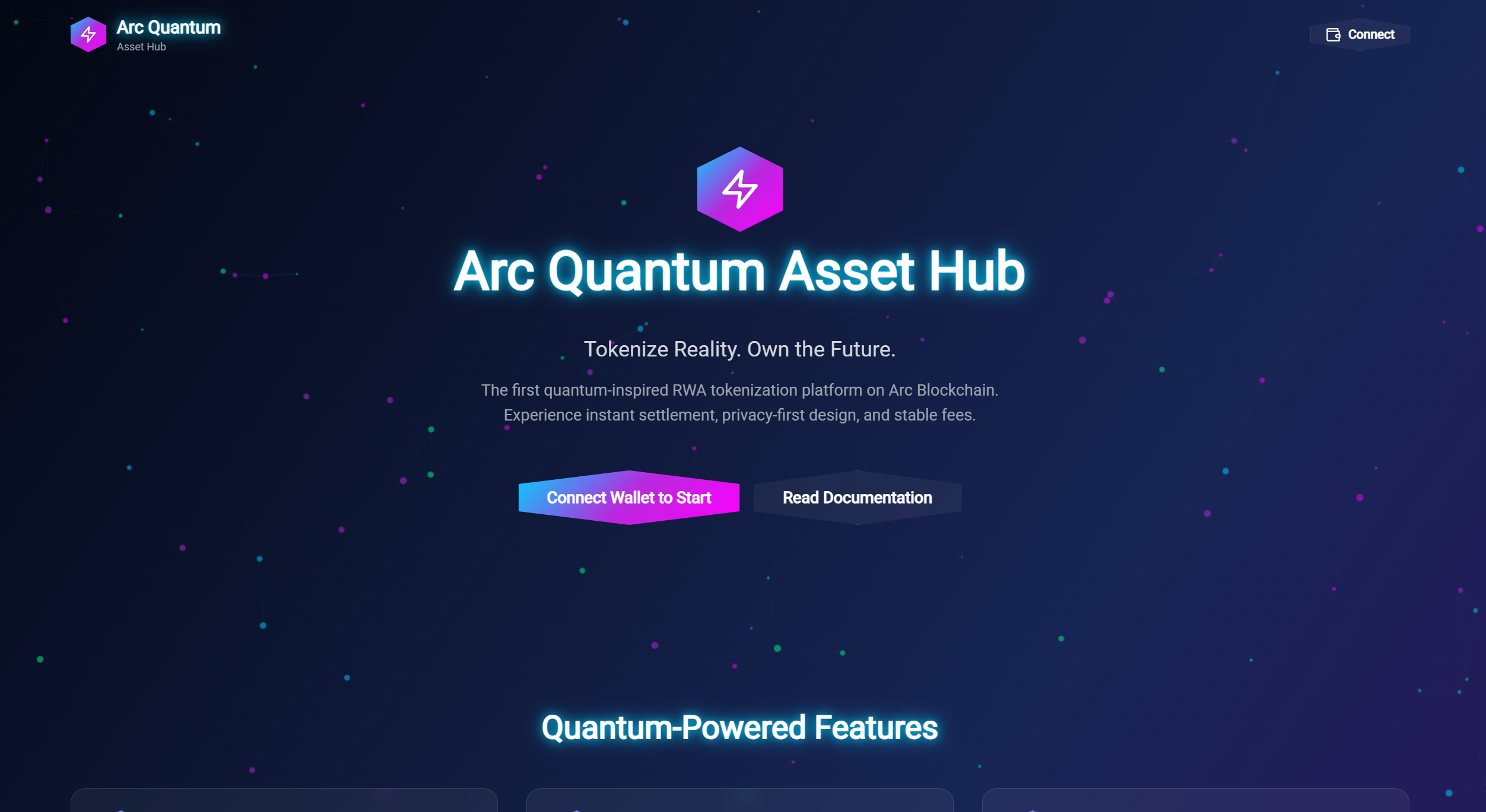
Arc Quantum Asset Hub is a visually stunning Real-World Asset (RWA) tokenization platform built for Arc Blockchain testnet. This project showcases unique quantum-inspired UI design with hexagonal buttons, particle effects, radial navigation, and 3D asset visualizations built with cutting-edge web technologies.
Overview
Arc Quantum Asset Hub represents the future of RWA tokenization with an immersive, visually striking interface. Built on Arc Network's stablecoin-native infrastructure, the platform enables users to create, manage, and trade tokenized real-world assets with a quantum-themed aesthetic that sets it apart from traditional DeFi platforms.
Unique Design Features
🎨 Hexagonal UI Elements
All buttons and cards use hexagonal shapes with quantum-inspired gradients for a distinctive look
✨ Particle Background
Animated particle system with connecting lines creating a network effect throughout the interface
🔄 Radial Navigation
Bottom-center radial menu instead of traditional sidebar/topbar navigation for intuitive UX
🎭 3D Parallax Effects
Asset cards respond to mouse movement with 3D perspective transforms for depth perception
💫 Neon Glow Effects
Quantum gradient colors with glow effects for maximum visual impact
🪟 Glassmorphism
Frosted glass effect on UI elements for a modern, futuristic aesthetic
🎬 Smooth Animations
Framer Motion-powered animations throughout the interface for fluid interactions
Technology Stack
Frontend
- React 18 + TypeScript + Vite
- TailwindCSS with custom quantum color palette
- Framer Motion for animations
3D Graphics
- Three.js
- React Three Fiber
- React Three Drei
Web3
- window.ethereum (MetaMask) integration
- Arc Testnet connection
Smart Contracts
- Solidity (for RWA tokenization)
- QuantumRWA.sol
- QuantumFactory.sol
Key Features
Category Filter
- Filter assets by category for easy navigation
- Smooth transitions between categories
Network Switching
- Seamless network switching between testnet and mainnet
- Automatic wallet network detection
Trading Interface
- Intuitive trading interface for RWA tokens
- Real-time price updates
Admin Panel
- Secure admin panel for asset management
- Role-based access control
Dashboard Statistics
- Real-time dashboard with key metrics
- Visual data representation
Toast Notifications
- Non-intrusive toast notifications for user feedback
- Customizable notification types
Installation
# Install dependencies
npm install

# Start development server
npm run dev

# Build for production
npm run build

# Preview production build
npm run preview
Connecting to Arc Testnet
- Install MetaMask or another Web3 wallet
- Click the "Connect" button in the top right
- Approve the connection request
- Your wallet will automatically switch to Arc Testnet (Chain ID: 316450)
📚 Source Code
Check out the complete source code on GitHub:
Built by dhozil for Arc Network Testnet 🚀